Ocelot File Manager
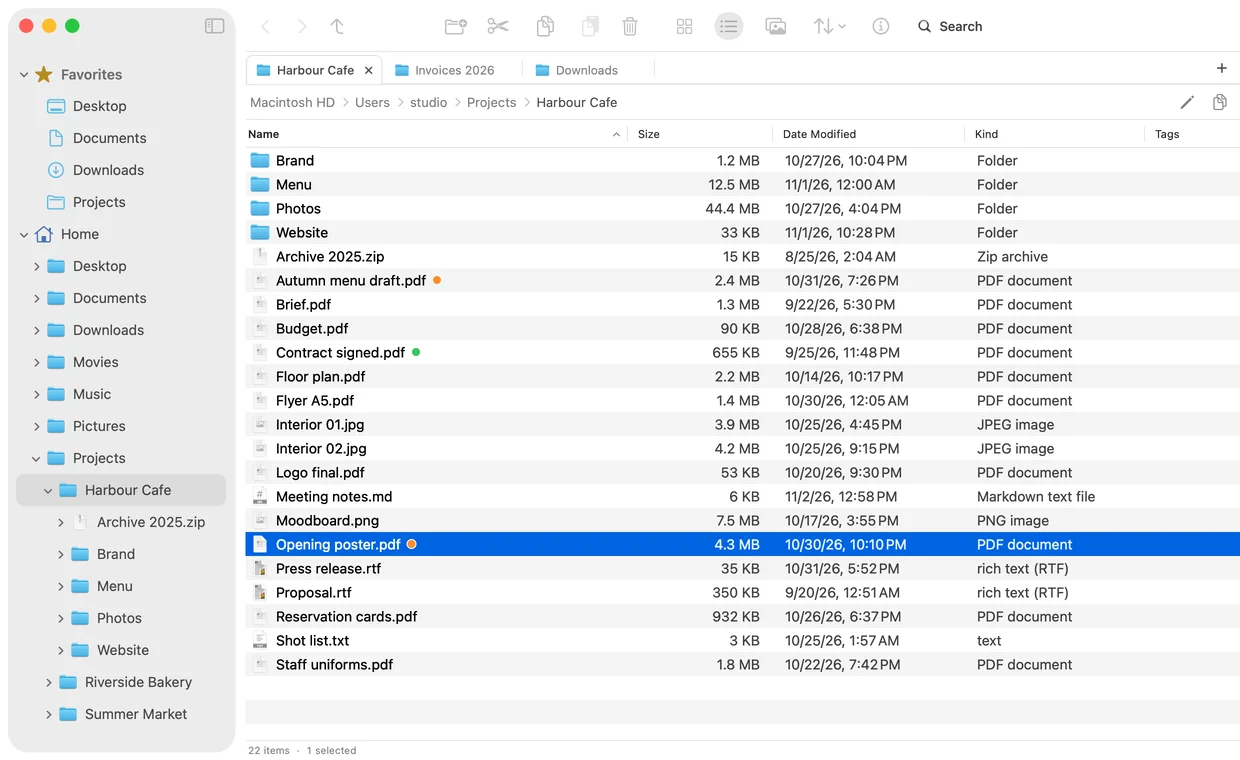
A folder tree on the left.Tabs on top.⌘X and ⌘V for files.
An Explorer-like file manager for macOS.* Cut a file in one folder, paste it in another, press ⌘Z if you change your mind. A server that stops answering never freezes the window.
Not released yet. Leave your email and you get one message when the first version is ready.
The address is used for that email and nothing else. The app will need macOS 14.4 or later. Privacy
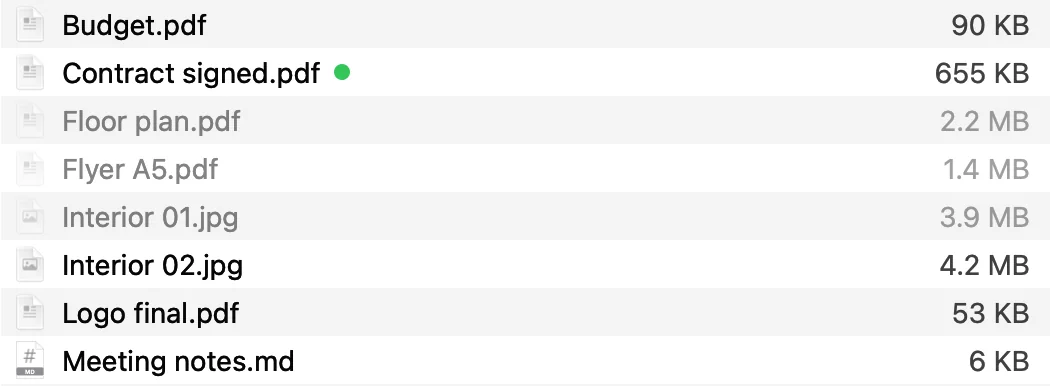
⌘X, then ⌘V. The file moves.
Select files and press ⌘X. They dim where they are and nothing moves yet. Open another folder, in this tab or a different one, and press ⌘V.
Moving to another disk is a full copy first. The original goes away only when the copy has finished; if it fails or you cancel, the original stays untouched.
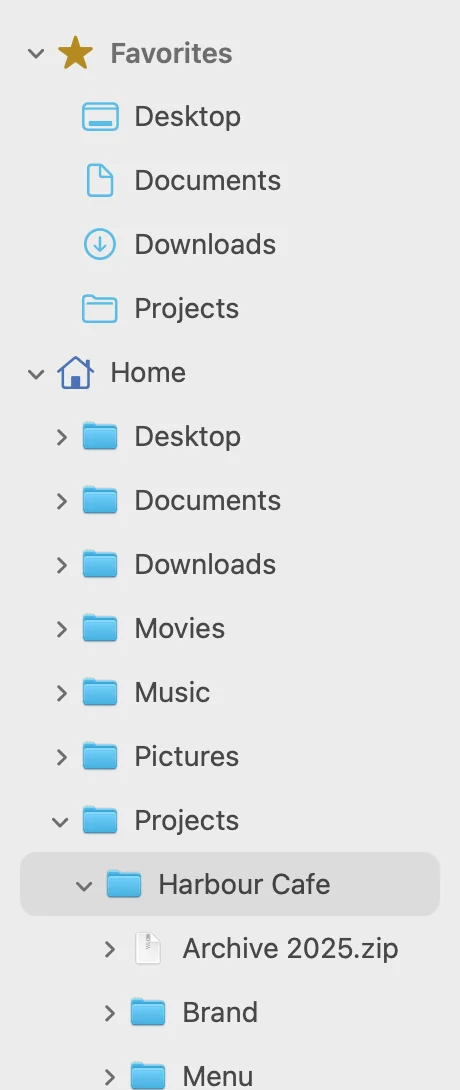
If your habits come from Windows, they work here. The sidebar is one tree: your favorites, Home, the startup disk, cloud folders, external disks and the network. Unfold a folder right there, without leaving the one you have open.
Return opens the selection, and F2 renames it.
⌫ moves the selection to the Trash. With nothing selected, it goes back.
The path bar is clickable, and ⌘L lets you type a path.
Tabs sit above the list, and ⌘T opens another.
Folders stay on top when you sort, and the Size column shows their sizes.
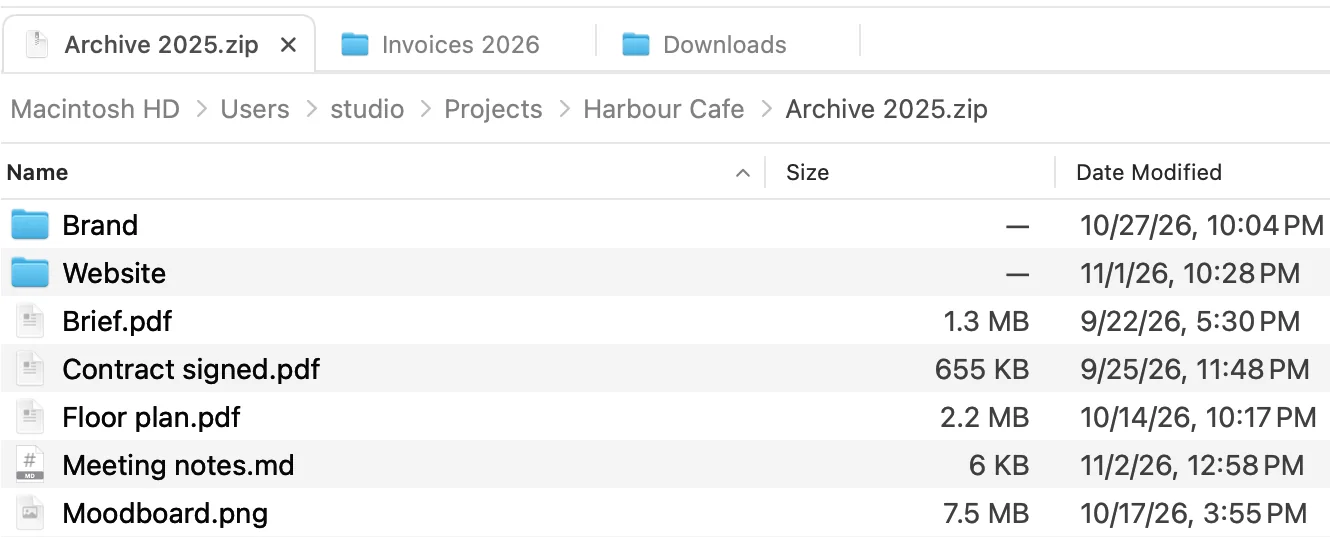
Archives open like folders
Double-click a zip and it opens in the tab, read-only, with its name in the path bar. So do tar, 7z, rar, iso and more.
Browse it, Quick Look a file, search inside, and copy or drag out only what you need. Extract to Here and Extract All show progress and are one Undo step.
A thousand files, one Undo
A paste of a thousand files comes back as one step. So does a merge, a rename or a change of permissions. The Edit menu names what it will undo.
Delete Permanently is the exception, and it always asks. Servers have no Trash, so a delete or an upload there is final too.
A dead server can’t freeze the window
Nearby computers and their shares are in the sidebar, and ⌘K mounts SMB, AFP, NFS and WebDAV shares. Built-in WebDAV and S3 clients keep your servers in the sidebar and their passwords in the Keychain.
If a folder from your last session can’t be reached, the launch doesn’t wait for it: that tab opens at Home and a banner says which folder was skipped.
What else it does
A view per folder
Each folder remembers list, icons or gallery, with its own sorting and columns.
Folder sizes
Measured in the background and kept across launches, so you can sort by them.
Search
By name with wildcards or regular expressions, by contents through Spotlight, with filters for kind, date, size and tag.
New Document
Create a text, Markdown, rich text, .docx, .xlsx or .pptx file right in the folder, or start from your own templates.
Plugins
Commands, list columns and icon badges. Scripts run in an isolated context and processes in a sandbox, with permissions you see before you turn them on.
Terminal
ocelot report.pdf shows a file selected in its folder.
No account.No analytics.An open-source core.
It collects nothing about you and sends nothing on its own, not even crash reports. It connects to the servers you add and, with your permission, looks for file servers on your local network.
It is written in Swift with SwiftUI and AppKit, using Apple frameworks only, with no third-party libraries in the app.
The core’s source code is published under the GPLv3 with the first release, so you can read what it does to your files and build it yourself.
Everything on this page. The open-source core, free to build from source.
Pro
Adds two panels per tab, Compare with Other Pane, the Shelf, Find Duplicates, Sync Folders and editing access control lists. Planned as a one-time purchase, not a subscription.
Ready-made builds, their prices and the order of release are announced before the first version ships.
FAQ
When can I get it?
It is in development and there is no release date yet. Leave your email and you get one message when the first version is ready.
Does it replace the file manager that comes with macOS?
It runs beside it. If you want, one switch in Settings sends folders opened by other apps, and their “Show in Finder” requests, to Ocelot File Manager. macOS keeps the Desktop, the Dock and the Open and Save dialogs. Turning the switch off gives the role back.
What will it cost?
Prices are not set yet. The open-source core stays free to build from source. Ready-made builds and their prices are announced before the release, and the plan is a one-time purchase, not a subscription.
Is it safe to use on my real files?
Replace moves the old item to the Trash first. A move to another disk removes the original only after the copy has finished. A file that changed while the question was on screen is left alone and reported. Delete Permanently always asks.
What does a plugin get to see?
A JavaScript plugin gets only what its permissions allow. A process plugin runs in a sandbox: it can read what the app can, except credentials, mail, messages, browser data and other plugins’ folders, and it writes only to its own folder. You see the permissions before you enable a plugin, and enabling it accepts the whole list.
Can I read the source code?
The core goes public under the GPLv3 with the first release, with an exception that lets plugins use any license. The Pro module stays closed.
What do I need to run it?
macOS 14.4 or later.
One email when it’s ready
No newsletter. The address is used for that email and nothing else.